
NovaStar MX40 Pro: 4K Processing, XR Features and VMP Configuration
The NovaStar MX40 Pro is a flagship 4K all-in-one LED display controller engineered for NovaStar next-generation COEX control ecosystem. Built specifically for high-end XR virtual production studios, broadcast television environments, large-scale touring concerts, and corporate flagship installations, the MX40 Pro delivers a maximum loading capacity of 9.0 million pixels with true 12-bit color depth and adaptive frame rate processing up to 360 Hz.
Controlled natively through the Vision Management Platform (VMP) software, the MX40 Pro integrates 20 Gigabit Ethernet outputs, 4 onboard 10G optical fiber ports, 3x HDMI 2.0, DP 1.2, and 12G-SDI broadcast inputs into a streamlined 3U chassis.
This comprehensive guide delivers verified technical specifications, hardware port layouts, 2026 pricing benchmarks, a step-by-step VMP setup manual, and an objective review.
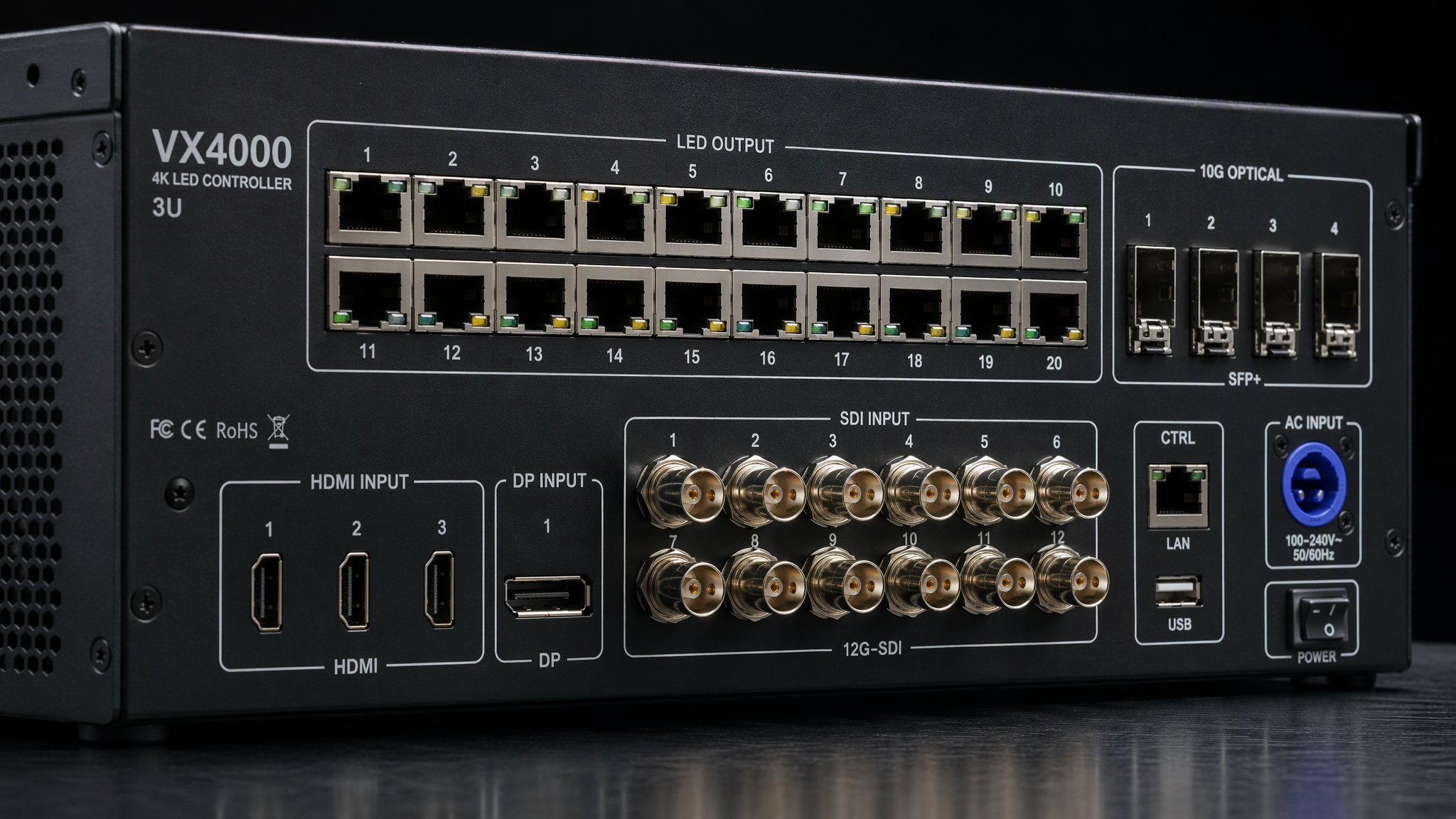
NovaStar COEX MX40 Pro System Architecture
[1] 9.0M Pixel Canvas: Native 4K at 60 Hz or Ultra-Wide 8192 px Width
[2] 20 Gigabit RJ45 Ports plus 4x 10G Optical SFP+ Direct Fiber Out
[3] Multi-Format Inputs: 3x HDMI 2.0, 1x DP 1.2, and 1x 12G-SDI Broadcast
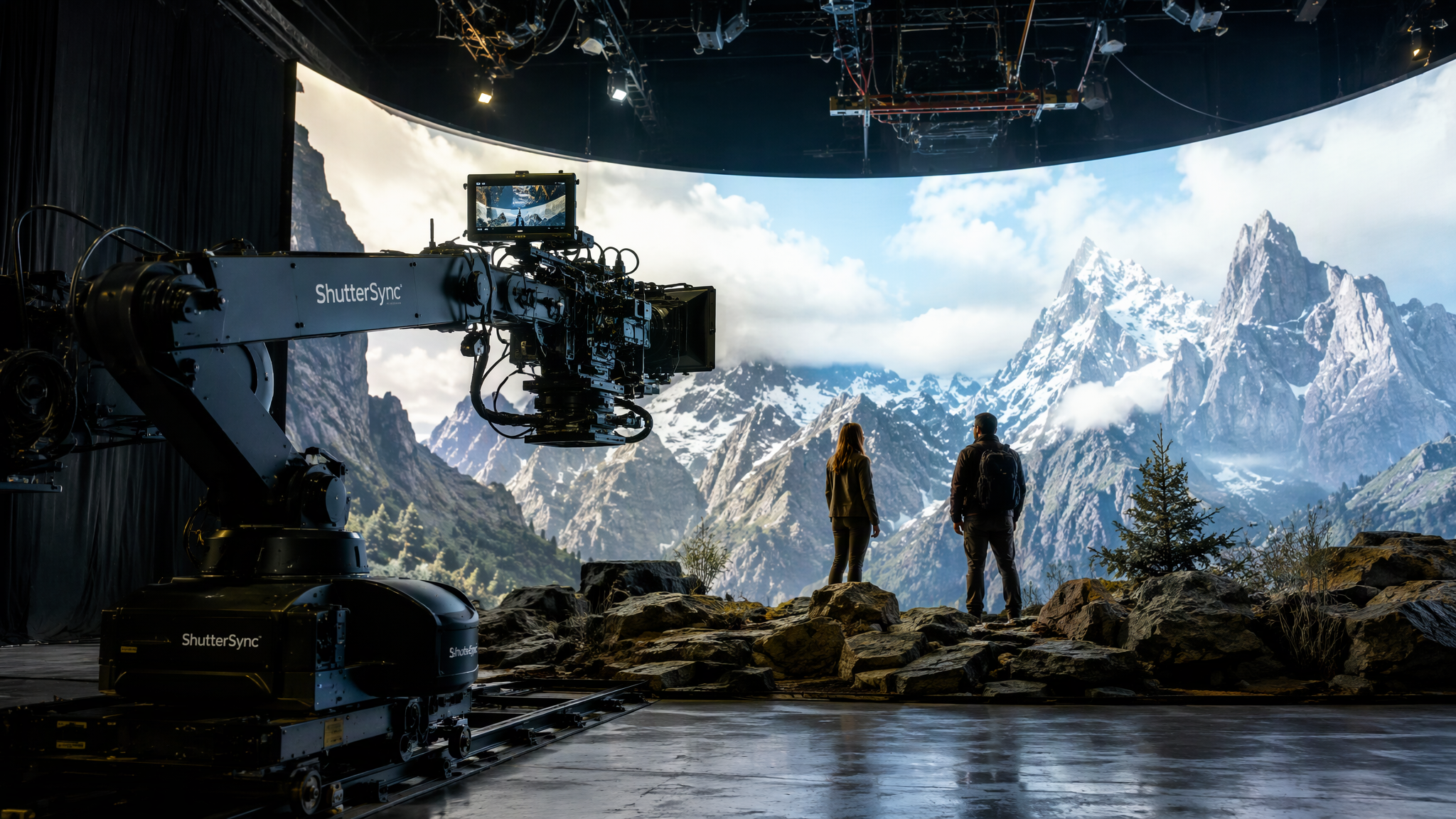
[4] XR Studio Capabilities: Genlock, ShutterSync, 12-Bit HDR, 360 Hz
[5] Vision Management Platform (VMP): Full-Chain 16-Bit Color Engine
`
---
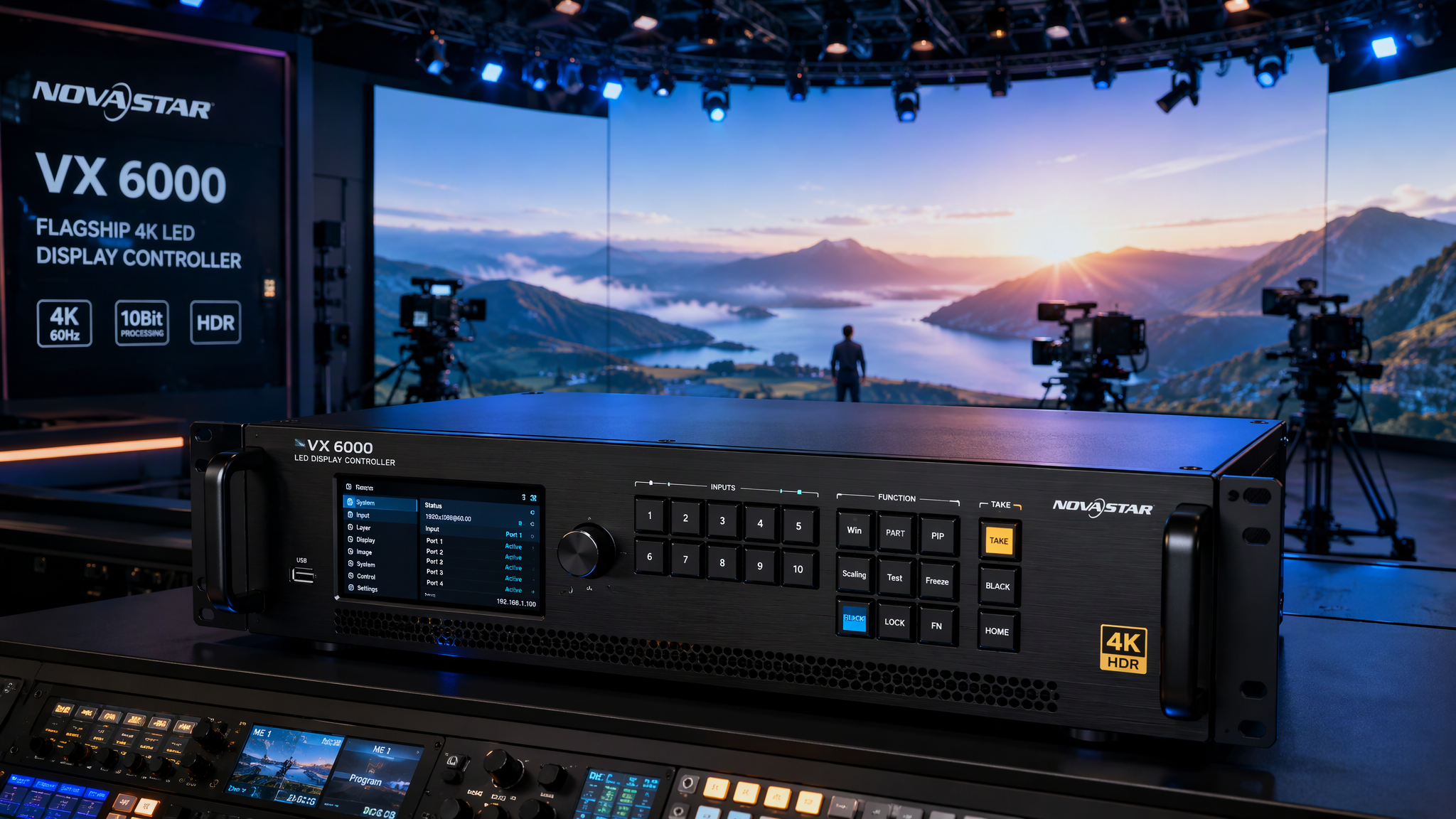
1. Verified Technical Specifications: NovaStar MX40 Pro
Parameter Category Technical Specification Operational and Engineering Value
Control Ecosystem NovaStar COEX Series Managed exclusively via VMP (Vision Management Platform)
Form Factor 3U 19-Inch Rack-Mount Chassis Rugged aluminum housing with high-efficiency cooling fans
Max Loading Capacity 9.0 Million Pixels Drives up to 4096x2160 at 60 Hz or ultra-wide 8192 px canvases
Max Width and Height Max Width: 8192 px; Max Height: 8192 px Flexible mapping for panoramic video ribbons and tall pillars
Ethernet Output Ports 20x Gigabit RJ45 Ports (Neutrik) 20 independent ports driving up to 650,000 pixels per port
Optical Output Ports 4x 10G Optical Fiber Ports (SFP+) Direct 10G optical trunking to stage fiber converters
Video Inputs 3x HDMI 2.0 (with Loop), 1x DP 1.2, 1x 12G-SDI (with Loop) High-bandwidth 4K video feeds with zero external format converters
Audio Interface 1x 3.5mm Audio In, 1x 3.5mm Audio Out Embedded HDMI and DP audio extraction plus analog pass-through
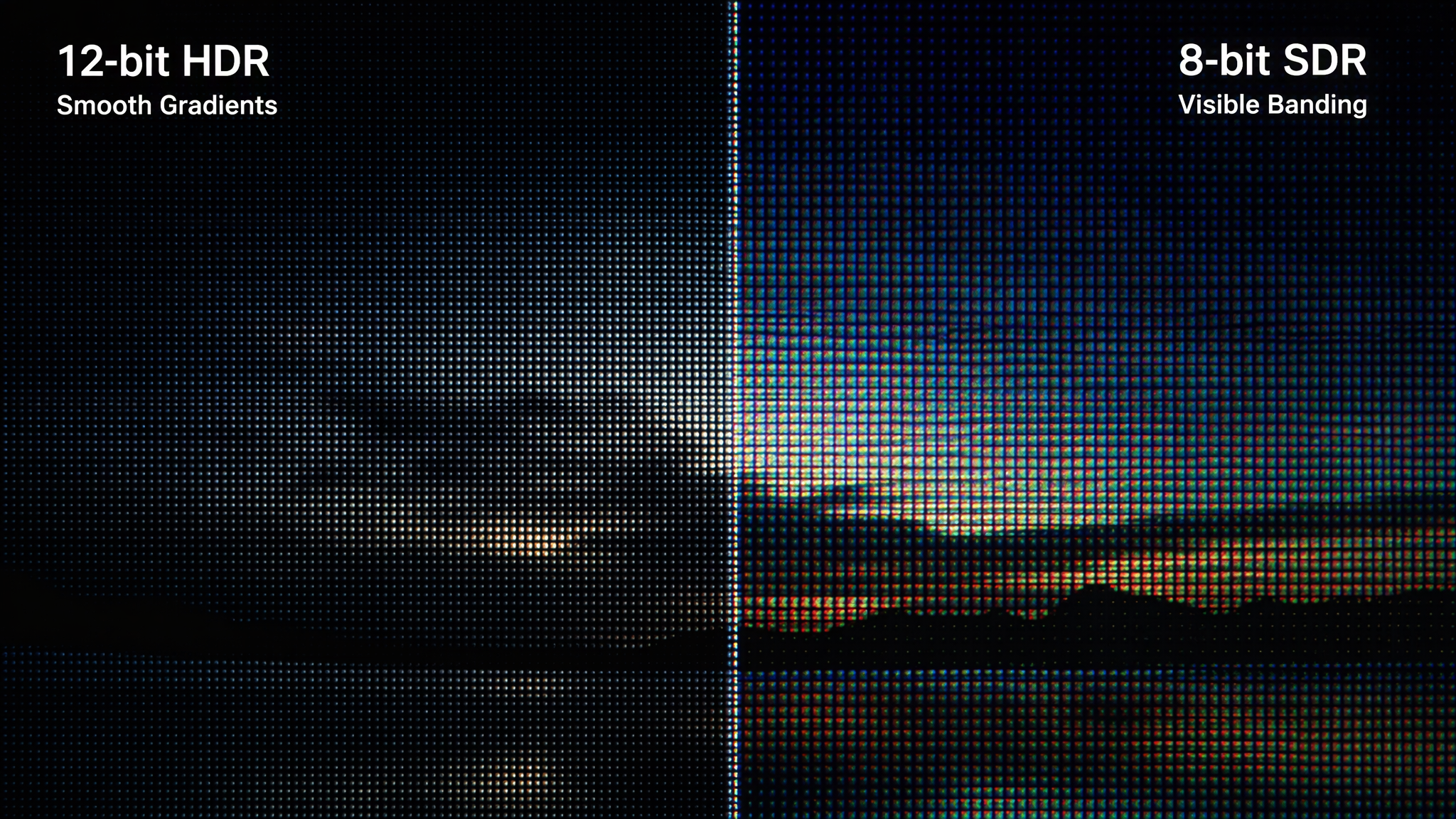
Color Depth and Engine 8-bit, 10-bit, and 12-bit RGB 4:4:4 16-bit internal processing precision with zero dark-tone banding
Frame Rates and Sync 24 Hz to 360 Hz; Genlock BNC in and loop ShutterSync matching cinema camera shutters for XR filming
Latency Performance Ultra-Low Latency Mode (1 frame or less) Immediate response for live broadcast and interactive production
Power and Voltage 100 V to 240 V AC, 50 or 60 Hz; 160 W max Industrial power supply with broad voltage adaptability
2026 Price Benchmark USD 5,500 to USD 7,500 per unit Comprehensive flagship 4K processor replacing multi-box racks
---
2. NovaStar MX40 Pro vs. MCTRL4K and KU20 Comparison
Engineering Metric NovaStar MCTRL4K NovaStar KU20 NovaStar COEX MX40 Pro
Control Software NovaLCT and SmartLCT VMP Software VMP (Vision Management Platform)
Max Pixel Capacity 8.8 Million Pixels 2.3 Million Pixels 9.0 Million Pixels
Gigabit RJ45 Outputs 16x Gigabit Ports 6x Gigabit Ports 20x Gigabit RJ45 Ports
10G Optical Ports 4x 10G Optical Ports 2x 10G Optical Ports 4x 10G Optical SFP+ Ports
Native Video Inputs DP 1.2, HDMI 2.0, Dual-Link DVI 1x HDMI 1.3 3x HDMI 2.0, DP 1.2, 12G-SDI
XR ShutterSync Unsupported or limited Basic support Native ShutterSync and Frame Adaptive
Primary Use Case Standard 4K Commercial Displays Compact 1080p LED Walls Flagship XR Studios and Arena Staging
---
3. Step-by-Step VMP Configuration and Manual Guide
`
Commissioning Workflow
Physical Cabling ---> VMP 3D Canvas Mapping ---> ShutterSync Calibration ---> Fiber Redundancy
`
1. Hardware Connection and Video Feed Setup:
• Connect main 4K video feeds from your media server into the MX40 Pro HDMI 2.0, DP 1.2, or 12G-SDI ports.
• Connect dual Ethernet control cables to your control workstation and link BNC Genlock reference sync cables.
• Route Gigabit RJ45 cables (Ports 1 through 20) or 10G optical lines to your LED cabinet arrays.
2. VMP Device Discovery and Canvas Mapping:
• Launch Vision Management Platform (VMP) on your macOS or Windows workstation. VMP automatically detects the MX40 Pro and connected COEX receiving cards.
• In the intuitive visual workspace, drag and drop cabinet modules onto the canvas grid. VMP calculates port bandwidth in real time with color-coded load indicators.
3. XR ShutterSync and Color Calibration:
• For virtual production stages, open VMP ShutterSync menu. Enter the exact camera sensor shutter angle and frame rate (such as 23.976 fps, 29.97 fps, 59.94 fps) to eliminate scan lines.
• Adjust 14-channel color curves and full grayscale calibration profiles directly inside the software interface.
4. Optical Fiber Distribution and Backup Pairing:
• Connect optical fiber cables from OPT 1 through OPT 4 to stage converters up to 10 kilometers away.
• Configure hot-standby redundancy pairs in VMP to guarantee uninterrupted live broadcasting.
---
4. Professional Review: Strengths and Engineering Considerations
Key Advantages:
• Massive 20-Port Gigabit Plus 4x 10G Fiber Integration: Single-box routing of 9.0 million pixels without external fiber transceivers saves significant rack space in broadcast trucks and touring racks.
• Next-Generation VMP Interface: Modern graphical user interface replaces legacy NovaLCT complexities, enabling instant visual feedback and rapid canvas adjustments.
• Studio-Grade XR Virtual Production Features: True 12-bit color rendering, ShutterSync, and 360 Hz high refresh rates make it a premier choice for film soundstages and esports arenas.
Important Engineering Considerations:
• COEX Ecosystem Compatibility: Advanced VMP features and 12-bit color performance require COEX-series receiving cards (such as CA50E or Armor series).
• Professional Investment: With pricing between USD 5,500 and USD 7,500, it is tailored for professional staging and high-end enterprise projects.
---
Frequently Asked Questions
What software is used to configure the NovaStar MX40 Pro?
The MX40 Pro is configured exclusively using Vision Management Platform (VMP). It does not use legacy NovaLCT.
How many Gigabit Ethernet output ports are built into the MX40 Pro?
The MX40 Pro features 20 Gigabit Ethernet RJ45 output ports, capable of driving up to 9.0 million pixels in total.
Can the MX40 Pro output directly over optical fiber?
Yes. It includes 4 onboard 10G optical fiber SFP+ ports that transmit high-bandwidth signals over multi-mode or single-mode fiber directly to stage converters.
What is the maximum frame rate supported by the MX40 Pro?
It supports adaptive frame rates up to 360 Hz, ensuring smooth motion rendering for esports and cinematic XR virtual production.
---
Final Thoughts
The NovaStar MX40 Pro is a pinnacle 4K LED processor. Combining 9.0 million pixel capacity, 20 Gigabit Ethernet ports, 4x 10G optical fiber outputs, true 12-bit color fidelity, and intuitive VMP software into a robust 3U chassis, it provides uncompromised performance for broadcast studios, XR stages, and premier live events.


