
NovaStar TU20 Pro: Smart LED Playback and Control
Executive Summary: The NovaStar TU20 Pro represents a next-generation smart LED playback control processor engineered specifically for corporate meeting rooms, executive boardrooms, hybrid digital classrooms, and government briefing centers. Combining an embedded Android operating system, high-performance video scaling, wireless BYOD screen mirroring, and 6-port Gigabit Ethernet sending capabilities into a compact desktop form factor, the TU20 Pro drives up to 3.9 million pixels at 60Hz. It supports dual HDMI inputs, 4-window wireless split-screen projection, local 4K multimedia decoding, interactive whiteboarding, and extensive smart room automation via RS232, Relay, IR, and light sensor ports. Commercially, the TU20 Pro carries a reference price range of approximately 1,100 to 1,600 USD depending on regional distributor channels, warranty tiers, and bundled wireless dongles. This comprehensive engineering guide reviews hardware specifications, cabling topologies, wireless BYOD workflows, software commissioning, and buying recommendations. |
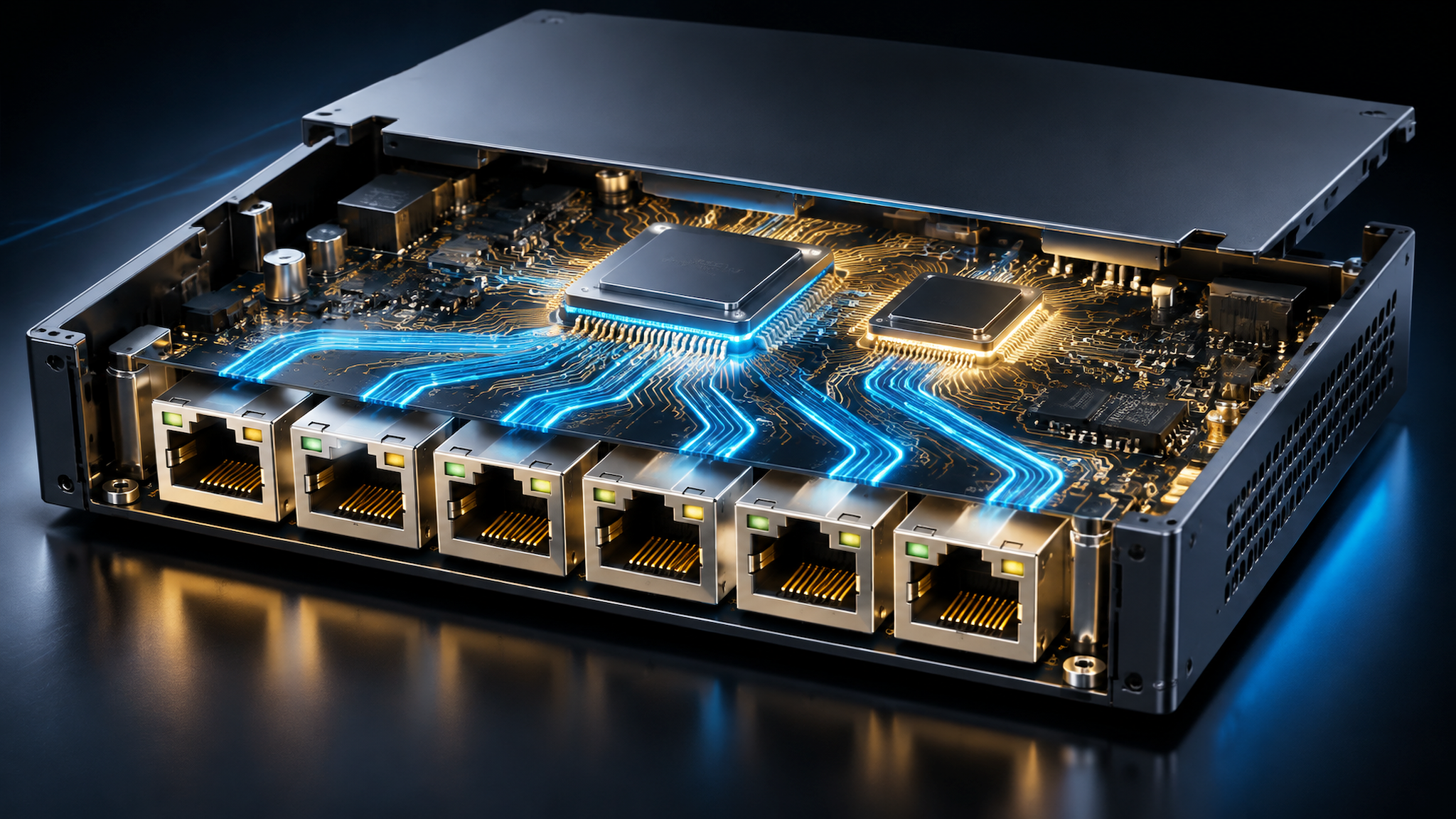
1. Product Positioning and Smart Conference Architecture
Modern corporate and educational environments require display controllers that eliminate cable clutter, enable seamless multi-device collaboration, and provide direct local media playback without requiring a dedicated external computer or separate video switcher. The NovaStar TU20 Pro addresses these demands through a highly integrated smart playback processor architecture.
Key architectural capabilities and functional highlights include:
• 6-Port 3.9M Pixel Loading Capacity: Equipped with 6 Gigabit RJ45 Ethernet sending ports, the TU20 Pro drives up to 3.9 million pixels with maximum canvas dimensions up to 4,096 pixels in width or height, perfect for standard and wide-aspect fine-pitch LED video walls.
• Embedded Android Smart Operating System: Powered by an integrated smart Android operating system, supporting standalone local playback of 4K video, office documents (Word, Excel, PPT, PDF), and custom conference APK applications.
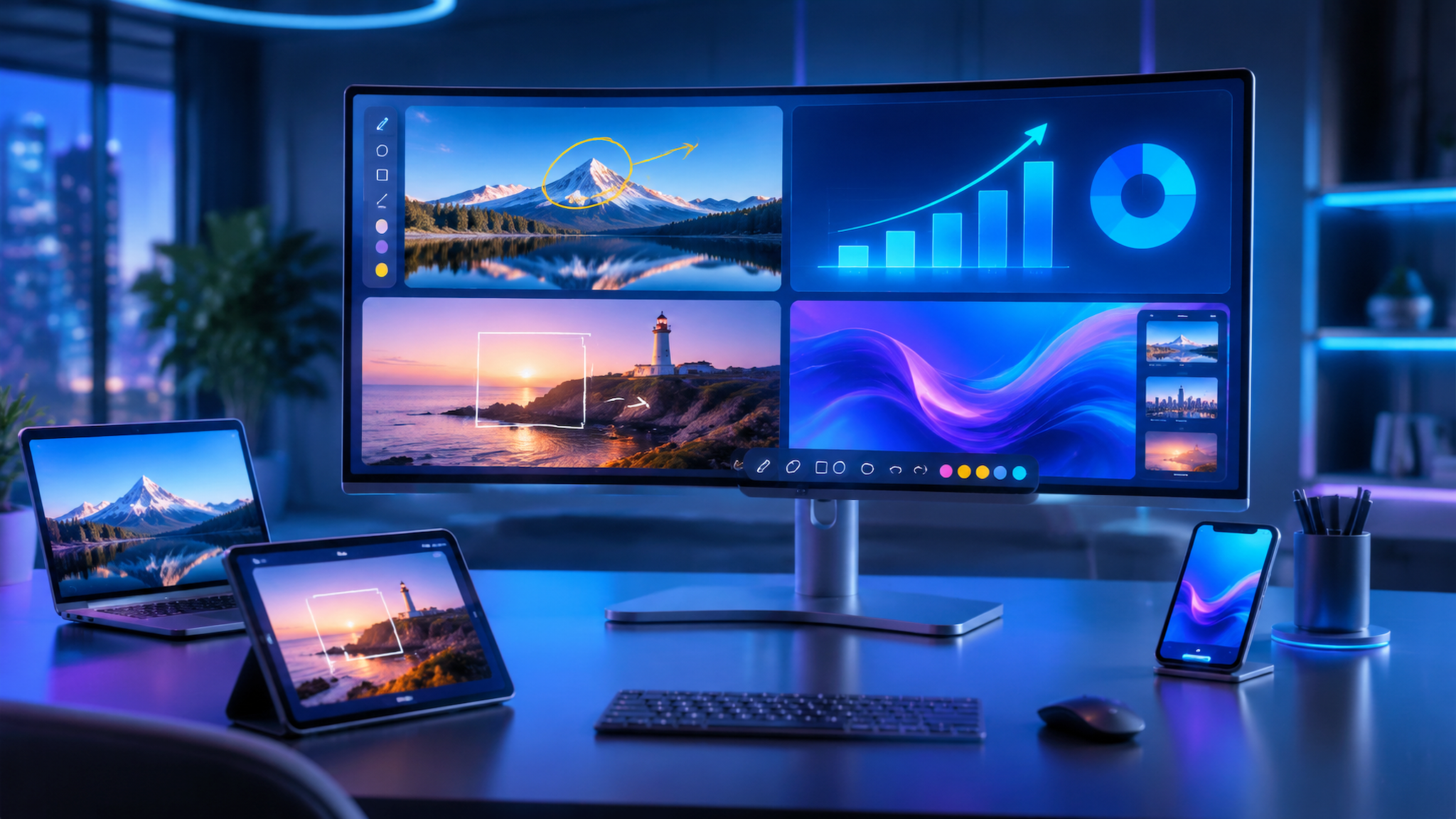
• Multi-Device Wireless BYOD Screen Mirroring: Supports AirPlay, Miracast, and physical USB wireless dongle casting, allowing up to 4 devices to project simultaneously in a 4-split quadrant canvas with reverse touch control.
• Central Control and Room Automation: Integrated RS232, Relay control, IR input, IR output, and light sensor ports enable automated environmental switching (lighting, projector screens, motorized blinds, and screen power sequencers).
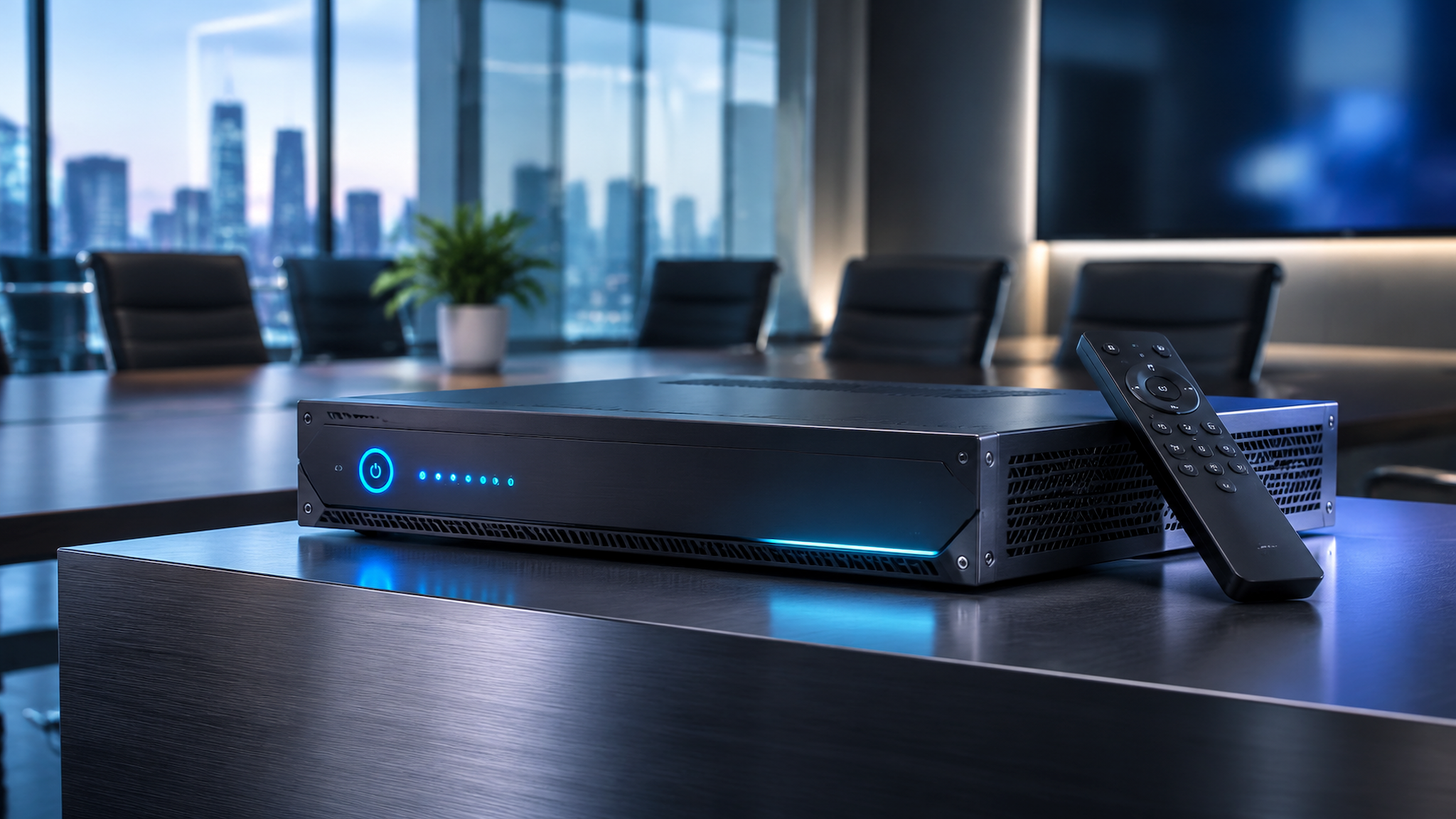
2. Core Technical Parameters and Engineering Specifications
The following master table details the technical parameters, interface counts, processing capabilities, and physical ratings of the NovaStar TU20 Pro.
Technical Dimension | NovaStar TU20 Pro Engineering Benchmark | Engineering Notes and Operational Scope |
Total Pixel Loading Capacity | Up to 3.9 Million Pixels at 60Hz | Drives standard 2K, 3K, and ultra-wide aspect ratio fine-pitch LED display canvases |
Maximum Output Dimensions | Width up to 4,096 pixels, Height up to 4,096 pixels | Flexible canvas mapping supporting panoramic boardroom video walls |
Ethernet Output Ports | 6x Gigabit RJ45 Ethernet Output Ports (Port 1 to 6) | Direct Cat6 copper cabling to cabinet receiving cards with loop backup |
Video Output Interface | 1x HDMI 1.3 Monitor Preview Output | Outputs local Android UI, preview monitor stream, or video cascading |
Video Input Interfaces | 2x HDMI Inputs (up to 1920 by 1080 at 60Hz) | Connects external PCs, media players, video conferencing codecs, and cameras |
Wireless Screen Mirroring | AirPlay, Miracast, and USB Wireless Transmitter Dongle | Supports up to 4-window simultaneous split-screen wireless BYOD projection |
USB Multimedia Interfaces | 2x USB 2.0 Ports, 1x High-Speed USB 3.0 Port | Direct playback of 4K video files, images, and Office documents |
Audio Ingest and Output | 1x 3.5 mm Audio In, 1x 3.5 mm Audio Out, 1x SPDIF Optical | Full audio de-embedding, analog sound reinforcement, and optical digital soundbar out |
Central Control Automation | 1x RS232, 1x Relay Port, 1x IR In, 1x IR Out, 1x Sensor | Automated power sequencers, motorized screens, lighting, and ambient light sensors |
Wireless Connectivity | Dual-Band Wi-Fi (2.4GHz plus 5GHz, Wi-Fi 6) and Bluetooth | High-speed wireless casting and Bluetooth voice remote control pairing |
Operating System Core | Customized Android Smart Operating System | Interactive digital whiteboarding, document reader, and conference app support |
Power Supply and Consumption | External DC 12V 3A Power Adapter (Rated Draw 21 Watts) | Energy-efficient low-power architecture with passive and quiet cooling |
Chassis Dimensions and Weight | Compact Metal Chassis (213.5 mm by 185.0 mm by 50.8 mm, 1.5 kg) | Convenient desktop placement or discreet under-table wall mounting |
Commercial Reference Price | 1,100 to 1,600 USD (Estimated Reference Range) | Varies by regional distributor, warranty tier, and bundled wireless dongles |
3. Hardware Interface Layout, Ingestion, and Automation Control
The physical interface architecture of the NovaStar TU20 Pro is engineered for compact, high-efficiency AV integration:
A. Ethernet and Video Outputs: Six Gigabit RJ45 Ethernet ports distribute LED video data across screen cabinets, while 1 HDMI 1.3 output provides local confidence monitoring or UI display.
B. Wired Video and Multimedia Ingestion: Two HDMI inputs receive high-definition signals from presentation laptops and video conferencing codecs, while USB 3.0 and USB 2.0 ports support external flash drives and interactive touch overlays.

4. Wireless Screen Mirroring, BYOD Collaboration, and Multi-Window Staging
Wireless BYOD (Bring Your Own Device) presentation is a cornerstone feature of the TU20 Pro:
• Multi-Protocol Wireless Casting: Participants can instantly cast screens from iOS, macOS, Windows, and Android devices using native AirPlay or Miracast protocols without installing third-party software.
• Physical USB Wireless Transmitter Pairing: Optional wireless USB transmitter dongles allow meeting participants to plug into any laptop USB port and mirror content with a single button press.
5. Standalone Setup and Software Commissioning Workflow
Setting up and commissioning the NovaStar TU20 Pro follows a structured 5-step engineering process:
Step 1: Physical Mounting and Cabling — Mount the TU20 Pro on a desktop or AV rack shelf, connect the 12V DC power adapter, attach Cat6 Ethernet cables from Ports 1 to 6 to the LED cabinets, and plug the HDMI confidence monitor.
Step 2: Android OS Initialization and Network Pairing — Power on the unit, pair the Bluetooth voice remote control, complete on-screen Android initialization, and connect to the local enterprise Wi-Fi 6 or wired LAN network.
Step 3: Screen Canvas Mapping and Calibration — Launch NovaLCT on a connected PC or use the on-screen Screen Configuration wizard to configure cabinet rows, columns, and port mapping, then click Send to save RCFGX parameters.

6. NovaStar TU Series Smart Playback Processor Family Matrix
The following matrix benchmarks the TU20 Pro against its sibling models in the NovaStar TU smart playback processor portfolio.
Technical Dimension | NovaStar TU15 Pro | NovaStar TU20 Pro | NovaStar TU40 Pro | NovaStar TU4K Pro |
Total Pixel Loading | Up to 2.6 Million Pixels | Up to 3.9 Million Pixels | Up to 6.5 Million Pixels | Up to 8.2 Million Pixels (4K) |
Ethernet Output Ports | 4x Gigabit RJ45 Ports | 6x Gigabit RJ45 Ports | 10x Gigabit RJ45 Ports | 16x Gigabit RJ45 Ports |
HDMI Input Ports | 2x HDMI Inputs (1080p) | 2x HDMI Inputs (1080p) | 2x HDMI 2.0 Inputs (4K) | 2x HDMI 2.0 Inputs (4K) |
Wireless BYOD Mirroring | Up to 4-Window Split | Up to 4-Window Split | Up to 4-Window 4K Split | Up to 4-Window 4K Split |
Android Smart OS | Android OS Integrated | Android OS Integrated | Enhanced Android OS | Enhanced Android OS |
Estimated Price Range | 850 to 1,200 USD | 1,100 to 1,600 USD | 1,850 to 2,450 USD | 2,800 to 3,600 USD |
Target Application | Huddle Rooms, Classrooms | Boardrooms, Meeting Rooms | Large Auditoriums, Briefing | Mega 4K Halls, Exhibitions |
7. Frequently Asked Questions (FAQ) and Buying Guidelines
Commercial Price Guidance: The NovaStar TU20 Pro carries an estimated commercial reference price range of approximately 1,100 to 1,600 USD (or 1,050 to 1,500 EUR). Actual pricing varies depending on authorized regional distributor margins, local import duties, extended warranty tiers, and optional wireless USB dongle accessory packages.
Q1: External PC Requirements — Question 1: Does the NovaStar TU20 Pro require an external media player or PC to play conference videos and documents?
Answer: No. The integrated Android operating system decodes 4K video files, images, and Microsoft Office documents directly from USB flash drives or internal storage, operating as a standalone smart conference solution.
Q2: Wireless Screen Sharing Capacity — Question 2: How many wireless devices can share screens simultaneously on the TU20 Pro?
Answer: The TU20 Pro supports up to 4 devices projecting concurrently in an automatic 4-quadrant split-screen layout, compatible with iOS, macOS, Windows, and Android platforms.
Q3: TU20 Pro vs TU15 Pro Differences — Question 3: What is the main difference between the TU20 Pro and the TU15 Pro?
Answer: The TU20 Pro features 6 Gigabit Ethernet output ports supporting up to 3.9 million pixels, whereas the TU15 Pro features 4 Gigabit Ethernet ports supporting up to 2.6 million pixels.
Answer: Yes. The TU20 Pro features an RS232 serial control terminal with standard protocol commands, allowing seamless integration with Crestron, Extron, AMX, and Q-SYS control processors.
Procurement Inspection Checklist: Verify authorized NovaStar distributor serial authentication, test all 6 Gigabit Ethernet ports under maximum 3.9M pixel load, validate seamless 4-window wireless casting, and confirm RS232 and Relay automation responses prior to final sign-off.